
Right now there is a decent chance your store is breaking the law, and you have no idea. Not because you did anything shady, but because the same theme everyone uses ships broken for anyone who cannot use a mouse. In 2026, that gap is no longer a nice-to-have. It shows up as a demand letter in your inbox.
I build Shopify and WordPress stores for US and UK retailers, and accessibility used to be the thing nobody asked about. That changed fast. Let me show you what is actually happening, what it costs, and exactly how to fix it without falling for the snake oil.
Why this got real in 2026
Two things collided.
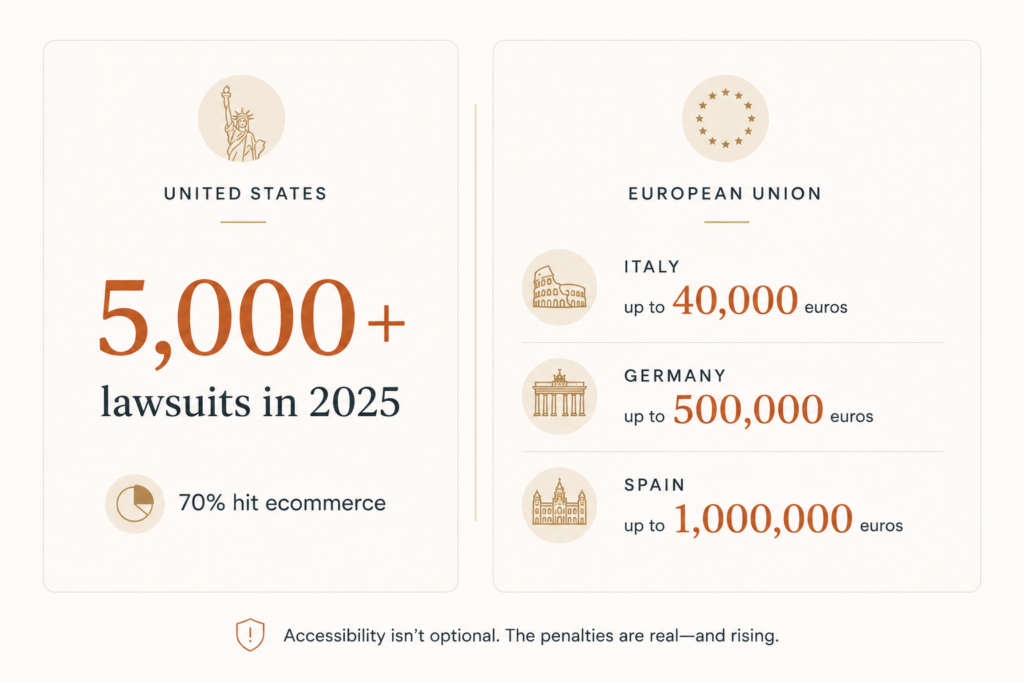
First, lawsuits in the US kept climbing. Plaintiffs filed 3,117 website accessibility lawsuits in federal court in 2025, a 27% jump over 2024, and once you add state court filings (mostly New York and California) the total cleared 5,000 for the year.
Here is the part that matters for you. Nearly 70% of those suits targeted ecommerce businesses, and a big share hit small retailers under $25 million in revenue. Among the top 500 ecommerce retailers, roughly 36% caught at least one accessibility lawsuit. This is not a big-brand problem anymore.
Second, Europe switched on enforcement. The European Accessibility Act became enforceable across EU member states starting in mid-2025, and enforcement is intensifying through 2026 as national regulators staff up their auditing.
If you sell to consumers in the EU, your storefront, checkout, and apps are in scope. Penalties vary by country, but they are not symbolic. Fines reach up to 40,000 euros in Italy, 500,000 euros in Germany, and 1,000,000 euros in Spain.
Bottom line: if you sell in the US or the EU, accessibility is now a requirement, not a design preference.
What “accessible” actually means
The standard everyone points to is WCAG, the Web Content Accessibility Guidelines. For 2026 you want to aim at WCAG 2.2 Level AA.
That single target is handy because it satisfies both sides. US courts treat WCAG 2.1 AA as the practical benchmark, and the EU requirement leans on EN 301 549, which maps to WCAG. Hit 2.2 AA and you are covered on both sides of the Atlantic.
Forget the spec numbers for a second. In plain terms, accessible means a real person can use your store if they:
- Navigate with a keyboard instead of a mouse
- Use a screen reader because they cannot see the screen
- Need larger text or higher contrast to read prices and buttons
- Have a motor condition and cannot perform precise clicks
If any of those people cannot find your product, add it to cart, and check out, you have a problem. And it is usually the same handful of problems.
The failures that get stores sued
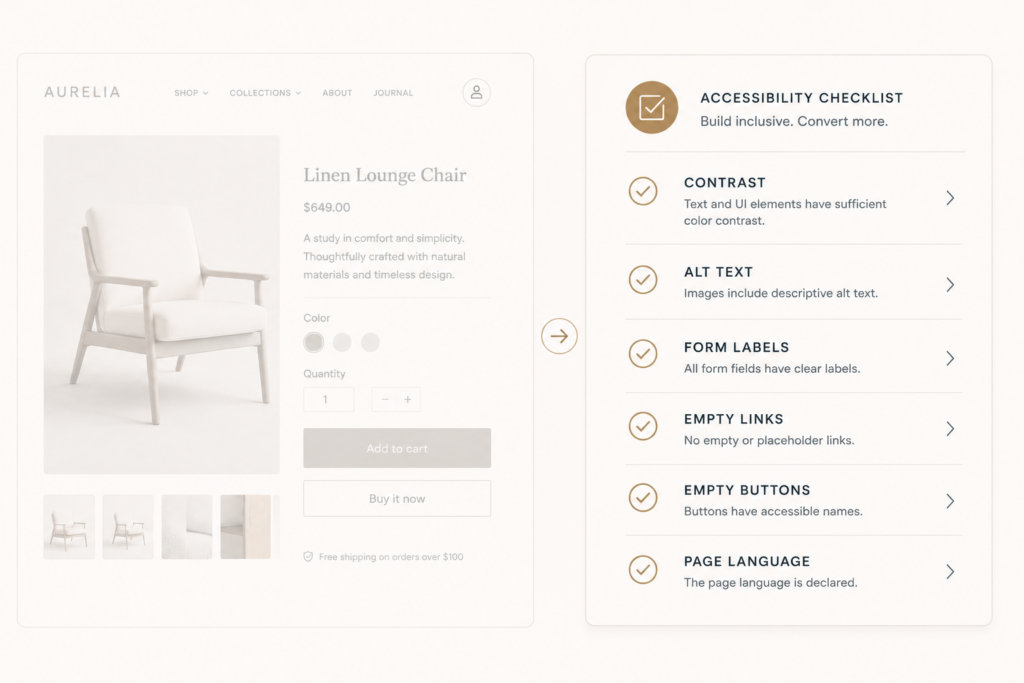
You do not need to fix a thousand things. The data is brutally clear about where the damage is. Six issues account for roughly 96% of all WCAG failures across the web:
- Low contrast text (found on 79% of sites). Light gray sale prices, faint placeholder text, washed-out buttons.
- Missing alt text (55%). Product images with no description, so a screen reader just says “image.”
- Missing form labels (48%). Search boxes, email signups, and checkout fields with no programmatic label.
- Empty links (45%). Icon links and image links with nothing for assistive tech to read.
- Empty buttons (30%). The classic cart or hamburger icon with no accessible name.
- Missing document language (16%). One line in your theme that tells a screen reader what language to read in.
Look at that list again. None of it is exotic. Most of it is an afternoon of focused work in your theme, and it knocks out the bulk of your risk.
Your theme is probably the problem
Here is the uncomfortable truth for Shopify merchants. Even Dawn, Shopify’s own default theme, ships with somewhere between 30 and 100 WCAG violations depending on how you have it configured. Premium and third-party themes are worse, often landing in the 100 to 350 range out of the box.
You did not introduce these. You inherited them.
The repeat offenders I see on almost every audit:
- Mega menus that only open on hover. A keyboard user hits Tab and the menu never appears. They cannot reach half your catalog.
- Carousels and sliders with no keyboard controls. Pretty on desktop, a dead end for anyone not using a mouse.
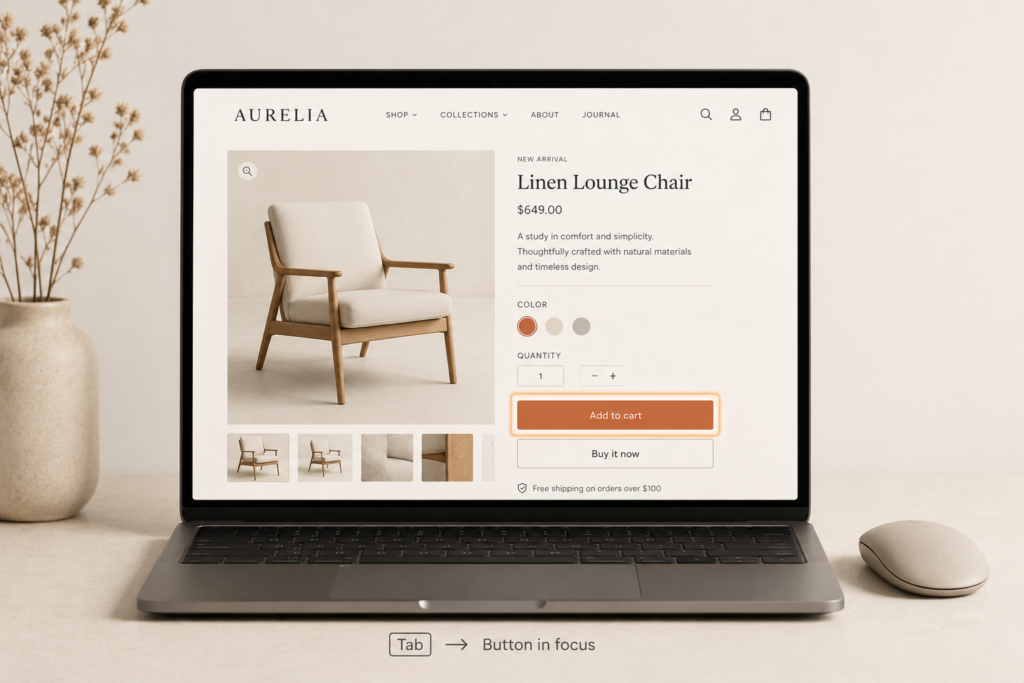
- Focus hidden behind sticky elements. As you Tab down the page, the focused field slides under a sticky header, announcement bar, or chat widget. WCAG 2.2 added a rule for exactly this (2.4.11, Focus Not Obscured), and stores fail it constantly.
- Invisible focus indicators. No visible outline when you tab, so a keyboard user has no idea where they are.
- Keyboard traps in modals. Open a quick-view or a cookie banner, and you cannot Tab out of it.
WordPress and WooCommerce stores have the same story, just with different plugin names attached. The pattern is identical. The platform gives you a decent starting point, and themes plus apps slowly break it.
Do not buy the overlay widget
This is the part I need you to hear, because it is where most owners waste their money.
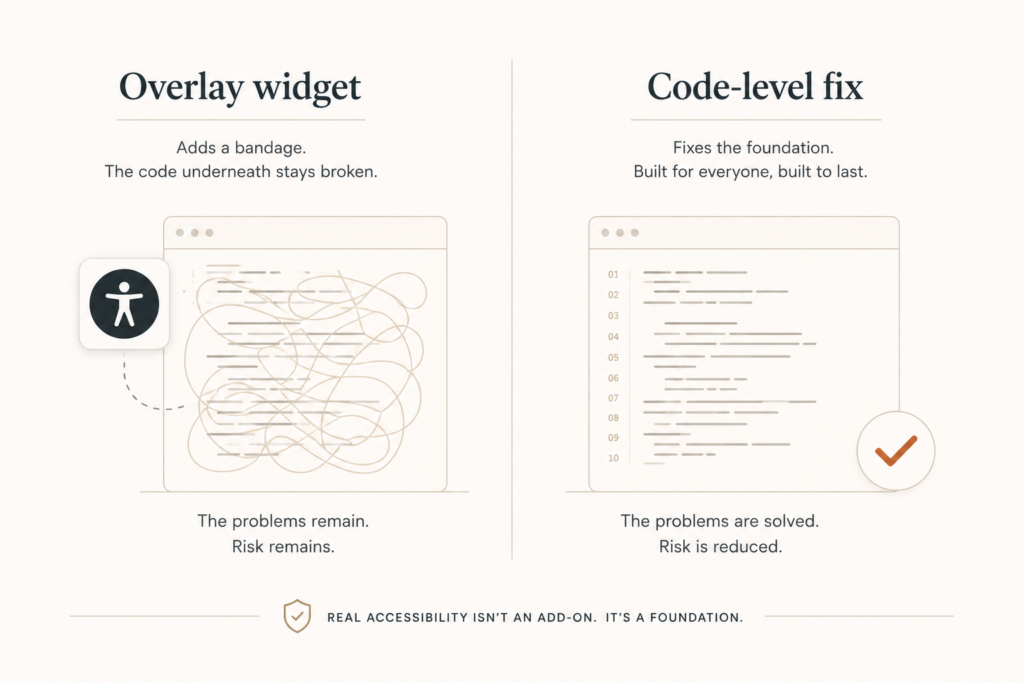
When store owners panic about accessibility, a salesperson appears promising a single line of JavaScript that makes you “compliant in 48 hours.” That is the overlay widget. It is a floating accessibility button that claims to fix everything automatically. It does not work, and it can paint a target on your back.
In the first half of 2025, almost 23% of all web accessibility lawsuits targeted sites that already had an overlay installed. Read that twice. Nearly a quarter of suits hit the people who paid to be protected.
The reason is simple. Overlays sit on top of your broken code instead of fixing it, and the auto-generated alt text and contrast tweaks are routinely wrong.
Regulators noticed too. In January 2025 the FTC settled with accessiBe, one of the biggest overlay vendors, for $1 million over deceptive marketing claims that its widget could make any site compliant. The order bars those claims for 20 years.
Overlays are not a fix. They are a recurring fee that signals you knew about the problem and chose the cheap route.
The fix, in the order I actually do it
Here is the workflow I run on client stores. You can follow the same sequence.
- Audit honestly. Run Lighthouse and WAVE on your top templates: home, collection, product, cart, and checkout. Free, fast, and they surface the contrast, label, and alt-text issues right away. Then do the one test no tool can fake. Unplug your mouse and try to complete a purchase using only Tab, Enter, and Escape.
- Fix contrast first. It is the most common failure and the easiest win. Adjust theme color settings so text hits at least a 4.5 to 1 ratio against its background. Watch sale badges, disabled buttons, and placeholder text.
- Label everything. Give every form field a real label, every icon button an accessible name, and every meaningful image proper alt text. Decorative images get empty alt attributes so screen readers skip them.
- Make the keyboard work. Fix the menu so it opens on focus, add a visible focus outline, make carousels operable with arrow keys, and make modals trap focus correctly and close on Escape.
- Set the page language and clean up empty links and buttons. Small, boring, high-value.
- Re-test and document. Keep a short accessibility statement on your site. It shows good faith and is genuinely useful for visitors.
Notice that every step here touches the source code, not a widget. That is the entire point. Real fixes live in the theme, and they stay fixed.
What this is worth
Typical accessibility settlements run between $5,000 and $20,000, and that is before your legal fees and the engineering you end up doing anyway. Compare that to a focused fix pass on your theme, which for most stores is a fraction of a single settlement and a one-time cost.
There is also an upside nobody mentions. Accessible stores tend to be faster, cleaner, and better structured, which helps the same Core Web Vitals work I am always pushing. Clear labels and proper headings help SEO. And you stop turning away the roughly one in four adults who has some form of disability. That is revenue, not just risk.
Where to start this week
If you do nothing else, do this. Open your store, unplug your mouse, and try to buy something. Wherever you get stuck is exactly where a customer (and a plaintiff) gets stuck too.
Then fix contrast, labels, and keyboard access in that order. You will remove most of your exposure before you touch anything complicated.
If you would rather not guess, I run accessibility audits on Shopify and WordPress stores and fix the issues at the code level, not with a widget that invites the next lawsuit. If you want a clear read on where your store stands and what it would take to reach WCAG 2.2 AA, grab a free audit at javaid.dev/contact. Thirty minutes will tell you whether you are fine or whether you are one demand letter away from a bad week.

Comments are reviewed before they appear, so yours will not show up straight away. Your email is never published.