
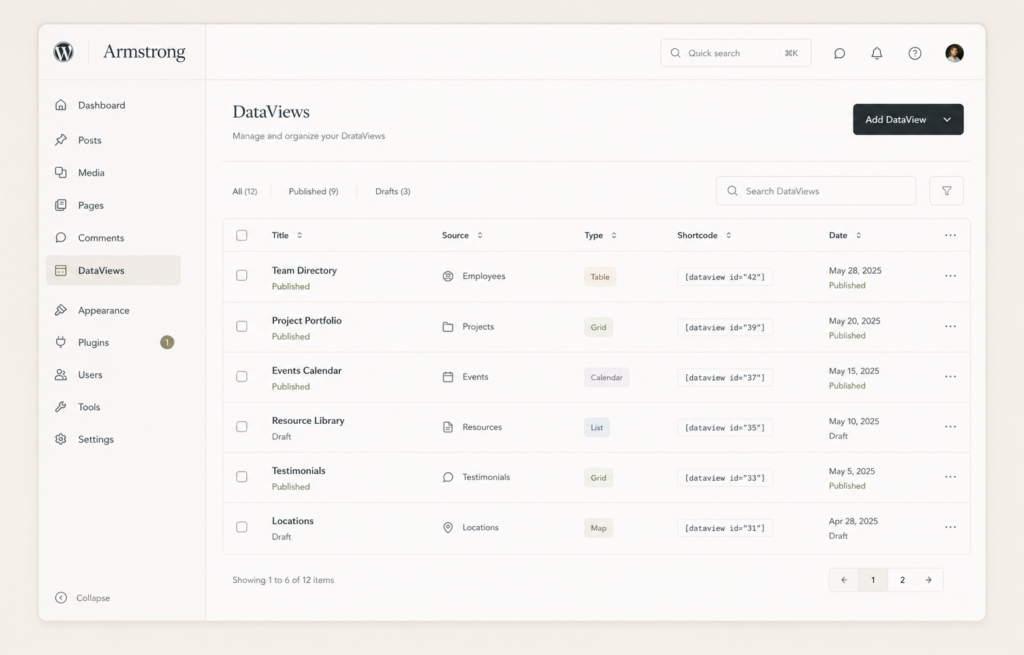
WordPress just shipped its biggest release in years, and a lot of the guides you will find still get it wrong. So let me set the record straight on what actually landed.
WordPress 7.0, codenamed Armstrong, went live on May 20, 2026 after a longer-than-usual release candidate cycle and the work of more than 900 contributors. It closes Phase 3 of the Gutenberg project and points WordPress at the AI-driven web.
Here is what is real, what got pulled at the last minute, and whether you should update today.
The headline: AI is now baked into core
For years, every AI plugin needed its own setup and its own API key. Install three AI tools and you managed three separate connections. Messy.
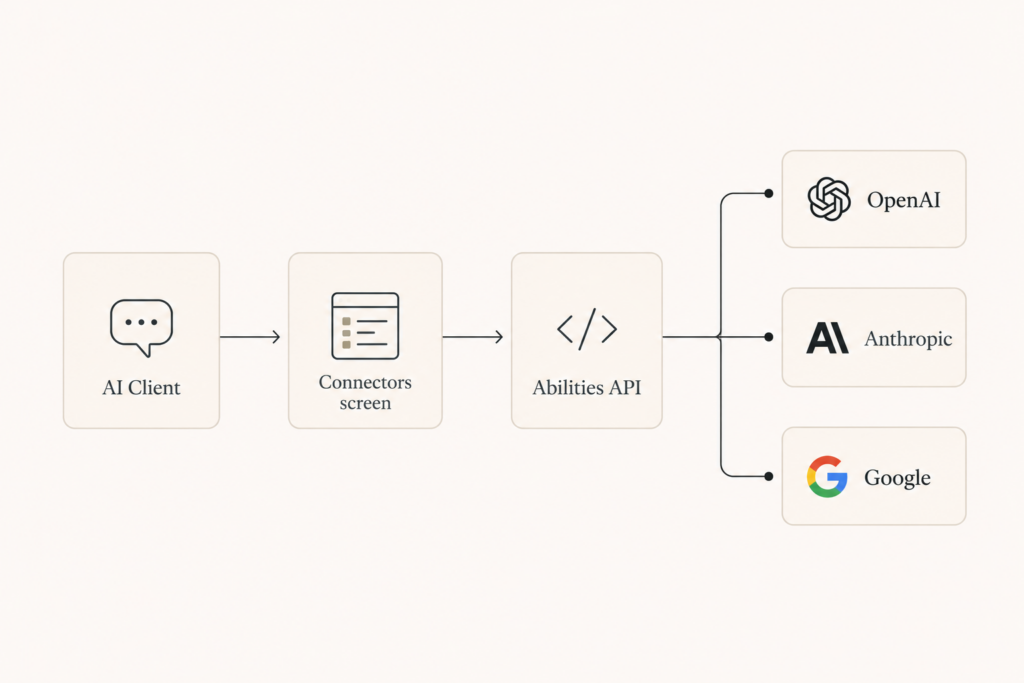
WordPress 7.0 fixes that with a shared AI layer built from three pieces.
The AI Client is a standard way for plugins and themes to talk to outside AI providers. Out of the box it ships with connectors for OpenAI, Anthropic, and Google.
The Connectors screen lets you, the site admin, enter one API key per provider. Any plugin built against the AI Client can use that connection right away. No more key juggling.
The Abilities API is the safety layer. It defines exactly what an AI tool is allowed to do on your site. Plugins must register their capabilities, like creating a post or editing metadata, and AI tools can only act within those limits.
In plain terms: you connect your AI accounts once, and your plugins share them safely. That is a real quality-of-life upgrade for anyone running an AI-heavy site.
What got cut: real-time collaboration
This is the part most coverage gets wrong, so pay attention.
Real-time, Google Docs style co-editing was the headline feature in nearly every pre-release article. Multiple people editing the same post at once, no more “locked for editing” popup.
It did not ship. It was pulled during release candidate testing in early May 2026 and will not be in 7.0. The earliest realistic return is a later 7.x release, likely in 2027.
If a guide tells you 7.0 has live multi-user editing, that guide was written before launch and was never corrected. You will still hit the editor lock today.
The admin redesign you will actually notice
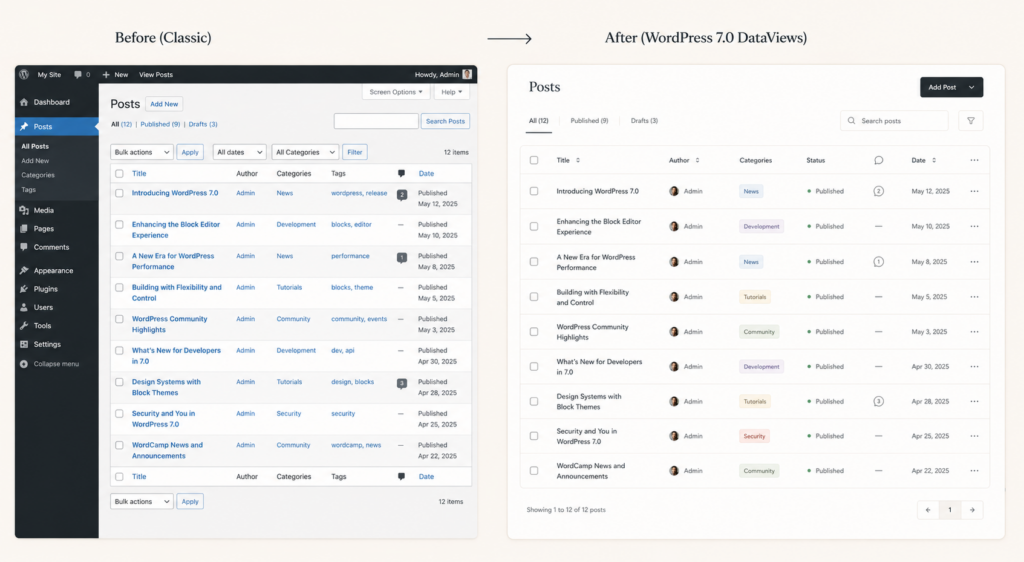
For most users, the visual refresh is the most obvious change.
The wp-admin interface got a cleaner look, an updated default color scheme, and smoother transitions between screens. It is a modernization, not a teardown, so long-time users will still know where things are.
Under the hood, the old static list tables are being replaced by DataViews, a React-based system that gives you instant filtering and a more flexible way to manage content. There is also a built-in visual tool for comparing revisions, which is genuinely handy.
The Command Palette now works across the admin, so you can jump to actions with a keyboard shortcut instead of hunting through menus.
New blocks and design tools
A few additions cut down on plugins you used to need.
There is a native Icons block and a Breadcrumbs block, both things people reached for plugins to handle before. You also get native lightbox support for galleries and block-level custom CSS, so you can style a single block without touching your whole stylesheet.
On performance, 7.0 offloads some image resizing and compression to the browser using client-side processing. That takes load off your server, which matters if you publish a lot of images.
What you need before you update
One hard requirement: WordPress 7.0 needs at least PHP 7.4 to run. Check your host. Most modern hosts are well past this, but older setups can get caught out.
There is also a new risk surface to understand. Because the AI Client runs requests through your own provider API keys, you pay for every token those background processes use. If two plugins get into an unmonitored loop, they can run up a bill fast. Set hard spending limits in your OpenAI, Anthropic, or Google accounts before you switch anything on.
The Abilities API adds security weight too. It lets registered tools take actions based on text input, so audit which plugins you grant abilities to. You do not want a malicious comment triggering a plugin action.
Should you update now?
Here is my honest read.
If you run a simple site with well-maintained plugins, the safe path is the usual one. Back up, test on a staging site, confirm your theme and plugins are compatible, then update.
If you run something heavy, like an ecommerce store, a membership site, or a complex page builder, slow down. Test thoroughly on staging and wait for the first patch release before you touch production. Big releases always ship with a few rough edges that get smoothed in 7.0.1 and beyond.
Either way, do not rush to turn on the AI features just because they exist. Set your spending limits, audit your plugin permissions, then decide what you actually need.
The takeaway
WordPress 7.0 Armstrong is a genuine milestone. The native AI framework, the modern admin, and the new blocks are real and useful.
Just go in with the facts. Real-time collaboration is not here yet, the AI features can cost you money if you are careless, and your server needs PHP 7.4. Back up, test on staging, and update on your terms, not the hype cycle’s.

Comments are reviewed before they appear, so yours will not show up straight away. Your email is never published.