
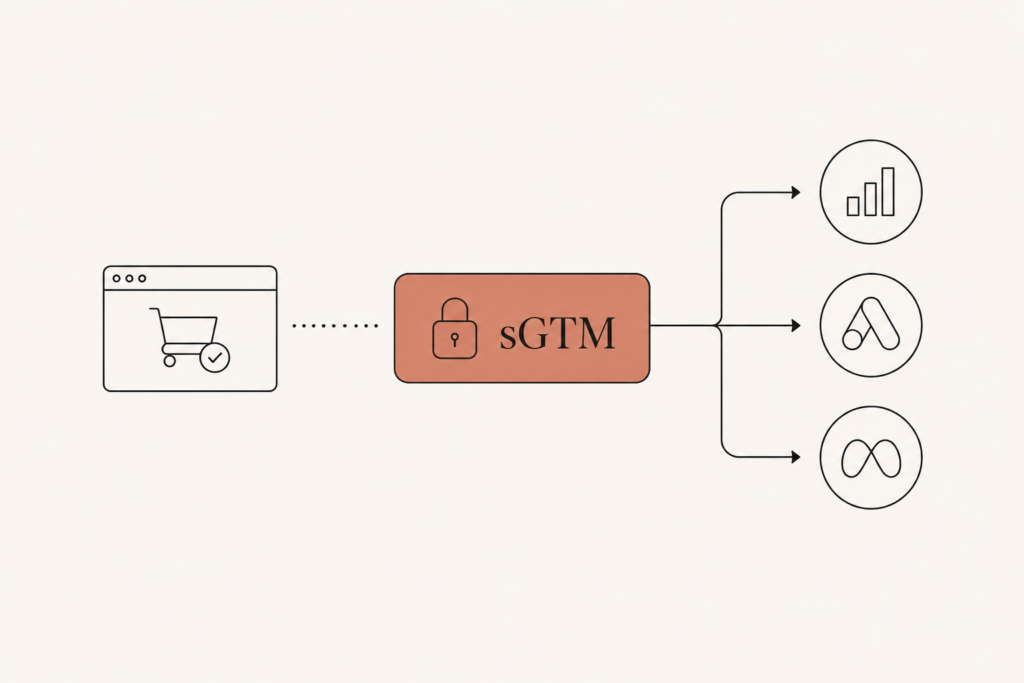
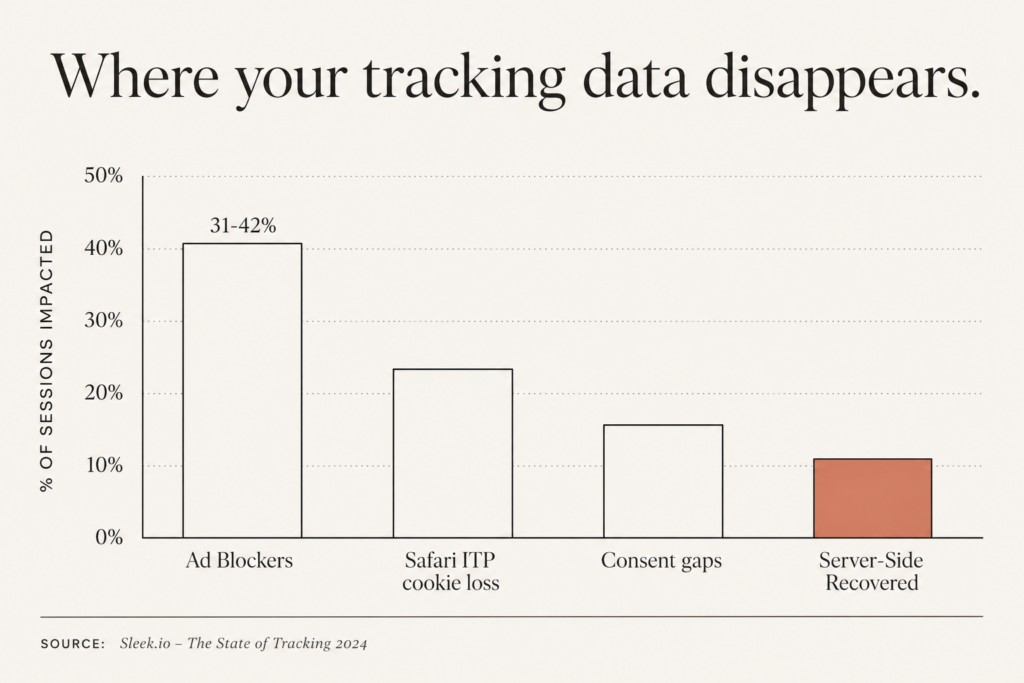
Right now, somewhere between 31% and 42% of your visitors are running an ad blocker that kills your GA4 tag and your Meta Pixel before they ever fire. Add Safari’s Intelligent Tracking Prevention on top, and a big chunk of your customer journeys are simply invisible. You are making budget decisions on data that is missing a third of the story.
That is the problem GA4 server-side tracking was built to fix. Instead of relying on a browser script that gets blocked, stripped, or expired, you route your event data through a server you control. The browser stops being the single point of failure.
In this guide I will walk you through why client-side tracking is leaking in 2026, what a server-side setup actually looks like, what it costs, and how to wire it up step by step so your Google Ads and Meta campaigns finally see the conversions they earned.
Why Your Client-Side Tracking Is Bleeding Data
Here is the uncomfortable truth: the tracking you set up three years ago is worse today than the day you installed it. Not because you broke it, but because the browser changed underneath you.
Three forces are draining your data at the same time.
Ad blockers. Between 31% and 42% of general visitors block GA4 and the Meta Pixel outright. For tech-leaning or developer audiences, blocking rates run 40% to 60%. Those users buy from you, but client-side tracking never records the sale.
Safari ITP. Safari caps any first-party cookie set by JavaScript at 7 days. Cookies set through link decoration get capped at 24 hours. So GA4 treats the same Safari shopper as a brand new visitor week after week, and 10% to 30% of Safari client IDs rotate every single week. Your returning customers look like strangers.
Consent and privacy resets. For a European store running pixel-only tracking, expect 30% to 50% of customer journeys to be partially or fully invisible once you combine non-consented users with technical losses like ITP and ad blockers.
Stack those together and the picture is brutal. You are not optimizing campaigns. You are guessing with a blindfold on.
And the damage does not stay in your reports. Google Ads and Meta both lean on automated bidding now, and automated bidding is only as smart as the conversion signal you feed it. When a third of your purchases never reach the platform, Smart Bidding and Advantage+ learn from a warped sample. They under-bid on audiences that actually convert and over-bid on ones that do not. So the missing data is not a reporting inconvenience, it is a direct tax on your return on ad spend, paid every single day the leak goes unfixed.
What GA4 Server-Side Tracking Actually Does
Let me clear up the confusion, because “server-side” gets thrown around loosely.
With client-side tracking, the visitor’s browser loads Google’s scripts, builds the event, and sends it straight to Google. Anything that interferes with the browser (an ad blocker, a privacy setting, a flaky network) breaks that chain.
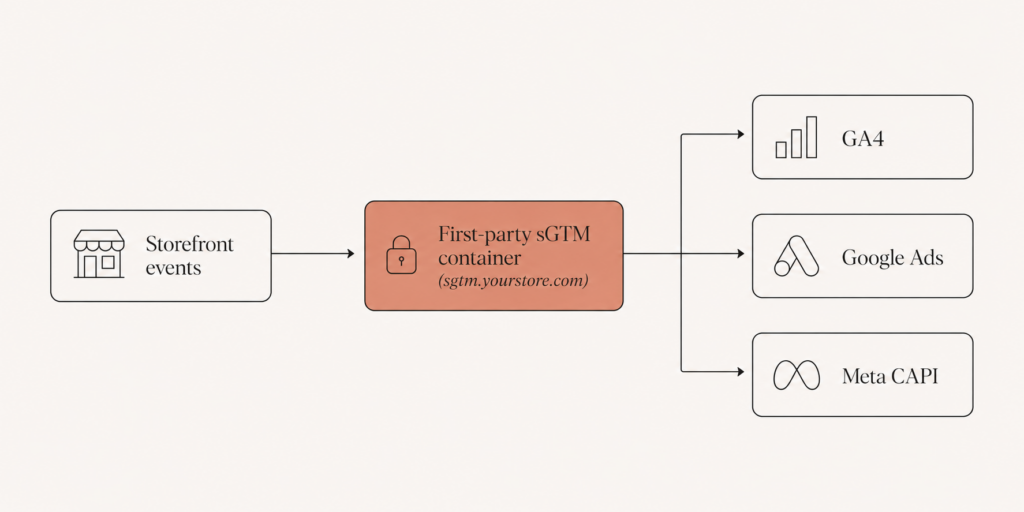
With GA4 server-side tracking, your site sends events to a server container that you own, usually a server-side Google Tag Manager (sGTM) instance running on your own subdomain. That server then forwards the data to GA4, Google Ads, and Meta. The traffic now comes from your first-party domain, not a third-party Google domain, so blockers and ITP have far less to grab onto.
The payoff is not theoretical. Square reported a 46% increase in reported Google Ads conversions after deploying server-side tracking. One skincare ecommerce brand recorded 4,512 GA4 purchases server-side versus just 1,724 with client-side tagging alone, and their Google Ads cost per purchase dropped 39% in the first month.
The takeaway: server-side tracking is not a vanity upgrade. It directly changes what your ad platforms learn from, which changes what they bid on, which changes your profit.
Did Third-Party Cookies Survive? Yes, But It Does Not Save You
You may have heard that Google walked back the cookie apocalypse. That is true, and it is also a trap if you read it as “do nothing.”
In 2026, Chrome does not block third-party cookies by default. After years of delays, Google shifted to a user-choice model and, on October 17, 2025, announced it would retire most of the Privacy Sandbox APIs and keep only a small set of features like CHIPS, FedCM, and Private State Tokens.
So the headline is reassuring. The reality is not. Third-party cookies “surviving” in Chrome does nothing about Safari ITP, nothing about Firefox, and nothing about the 31% to 42% of people running ad blockers. Those losses are independent of Google’s roadmap. The reprieve buys you time, not safety.
This is exactly why first-party server-side collection matters more in 2026, not less. The cookie drama was never the whole problem.
The Step-by-Step Server-Side Setup for Ecommerce
Here is the build, in the order I actually do it for retail clients. Budget 15 to 20 hours for a clean first implementation.
1. Stand Up Your Server Container
Create a server container in Google Tag Manager, then choose where to host it.
- Google Cloud Run is the default. A standard single-server config runs roughly $30 to $50 per server per month once you leave the free tier, scaling toward $50 to $500+ at high traffic.
- Managed hosts like Stape or Addingwell start around $20 per month and remove the DevOps work.
- Google Tag Gateway is a lighter, free option that runs through your CDN with no per-request Google charge, useful if you only need first-party Google tags.
2. Map Your Server to a First-Party Subdomain
Point a subdomain like sgtm.yourstore.com at your server container. This is the step most people skip, and it is the whole point. Serving the container from your own domain is what makes the data first-party and dodges a large share of ITP and blocker interference.
3. Route the GA4 Tag Through the Server
In your web container, switch your GA4 configuration to send to the server URL instead of straight to Google. Then add a GA4 client and a GA4 tag inside the server container to receive and forward those events. Test in Preview mode until your ecommerce events (view_item, add_to_cart, purchase) show up server-side with the right parameters.
4. Add Meta CAPI With Proper Deduplication
Meta Conversions API is a baseline requirement in 2026, not a nice-to-have. Add a Meta CAPI tag in the server container and fire Purchase, AddToCart, and Lead from the server, independent of the browser pixel.
The number-one failure I see: duplicate conversions because the browser pixel and the server send different event_id values. Meta cannot deduplicate, and counts inflate by 30% to 80% in misconfigured setups. Generate one shared event_id per event and pass it to both the pixel and CAPI. This is the same discipline I cover for forms in my guide on GA4, Meta, and LinkedIn tracking for multi-step forms.
5. Wire Up Consent Mode v2 Correctly
Consent Mode v2 has been mandatory for EEA traffic since July 2025, and it adds two flags the Digital Markets Act requires: ad_user_data and ad_personalization.
The key word is “correctly,” not “installed.” Your server-side conversion and analytics tags should only fire when consent is granted, and pass modeled signals when consent is denied. Implemented properly, you stay eligible for EEA personalization and remarketing audiences instead of quietly losing them.
6. Validate, Then Compare
Before you trust a single decision to the new pipeline, run client-side and server-side side by side for a week or two. Compare purchase counts, revenue, and match quality. You want to see server-side recovering events, not just duplicating them.
What This Costs (And What It Returns)
Let me be straight about the money, because “free Cloud Run tier” headlines mislead people.
- Hosting: roughly $20 to $100 per month for most ecommerce stores. Heavy-traffic shops on Cloud Run can climb toward $500+.
- Build time: 15 to 20 hours for a solid first setup, more if you are layering in multiple platforms.
- Maintenance: ongoing, because tags, consent rules, and platform requirements keep moving.
Now the return side. Google reports a median 11% improvement in conversion signal when using first-party Tag Gateway, driven by reduced ad blocker interference and better cookie persistence. Square’s 46% Google Ads conversion lift sits at the high end. Most stores land somewhere in between, and the gain compounds because better signal feeds smarter automated bidding.
Think about the math for a second. If you spend $10,000 a month on ads and server-side recovery lifts your reported conversions even 11%, that is the platform now able to find and bid on a meaningfully larger pool of buyers it could not see before. Against a hosting bill of $20 to $100 a month, the ratio is not close. The real cost is not the server, it is the months you keep running without one while your competitors quietly out-bid you on the customers your reports never showed.
If you are running Shopify, this pairs directly with how I structure campaigns in my Google Ads for Shopify 2026 guide. Clean server-side data is the fuel that makes that campaign structure actually perform.
FAQ
Is GA4 server-side tracking worth it for a small store?
If you spend on paid ads, yes. Even a small store loses 30% or more of conversions to blockers and ITP, and that missing data degrades every bidding decision Google and Meta make. A managed host around $20 per month plus a clean setup usually pays for itself fast through better ad efficiency. If you do zero paid advertising, the case is weaker.
Does server-side tracking let me ignore consent rules?
No, and that is a dangerous myth. Server-side tracking changes how data is collected, not whether you need permission to use it. Consent Mode v2 is mandatory for EEA traffic, and your server tags must respect granted or denied consent. Done right, you stay compliant and still recover modeled data from non-consented users.
Will server-side tracking double-count my Meta conversions?
It will if you do not deduplicate. The browser pixel and the server CAPI event must share the same event_id so Meta knows they are the same conversion. Skip that, and counts inflate by 30% to 80%. Get it right, and you get cleaner numbers, not inflated ones.
Do I still need the browser pixel if I have CAPI?
Yes, in most cases you run both. Meta uses the browser pixel and CAPI together for the best match quality and deduplication. The server side fills the gaps the browser misses, rather than fully replacing it.
Since third-party cookies survived in Chrome, can I skip this in 2026?
No. The Chrome reprieve does nothing about Safari ITP, Firefox, or ad blockers, which is where most of your losses come from. First-party server-side collection addresses those directly, so the case for it is stronger in 2026, not weaker.
Final Word
Your client-side tracking is not lying to you on purpose. It is just missing a third of the picture, and in 2026 that gap is widening, not closing. GA4 server-side tracking is how you get that data back, send cleaner signals to Google Ads and Meta, and stop optimizing against ghosts.
You do not have to rebuild everything overnight. Start with a server container, move your GA4 tag, add Meta CAPI with proper deduplication, and validate against your old setup before you trust it.
If you want a second set of eyes first, I run tracking audits that show exactly how much data you are losing and what a server-side setup would recover. Book a call at javaid.dev/contact and let us find your missing conversions.

Comments are reviewed before they appear, so yours will not show up straight away. Your email is never published.