
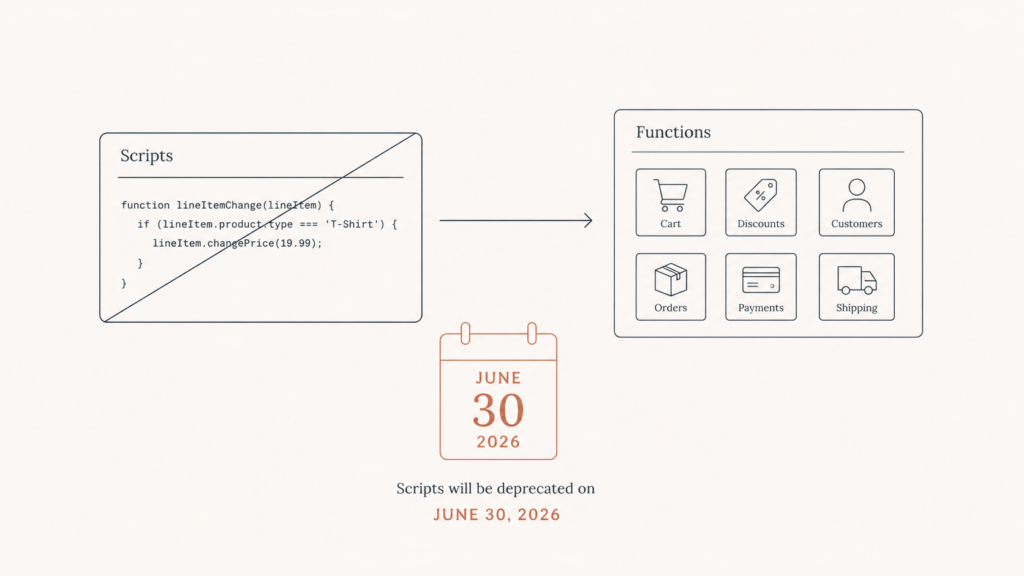
If your Shopify Plus store still runs custom discounts, shipping rules, or payment logic through Scripts, read this today. The shutdown is not a someday problem anymore. It is a this-month problem, and the comfortable window to handle it calmly has already closed.
Here is the short version. Shopify Scripts stop running on June 30, 2026. There is no automatic conversion to the new system, and Shopify has said this deadline is final. If you have not started, you are now in triage mode, and this guide is written for exactly that situation.
The two dates that matter
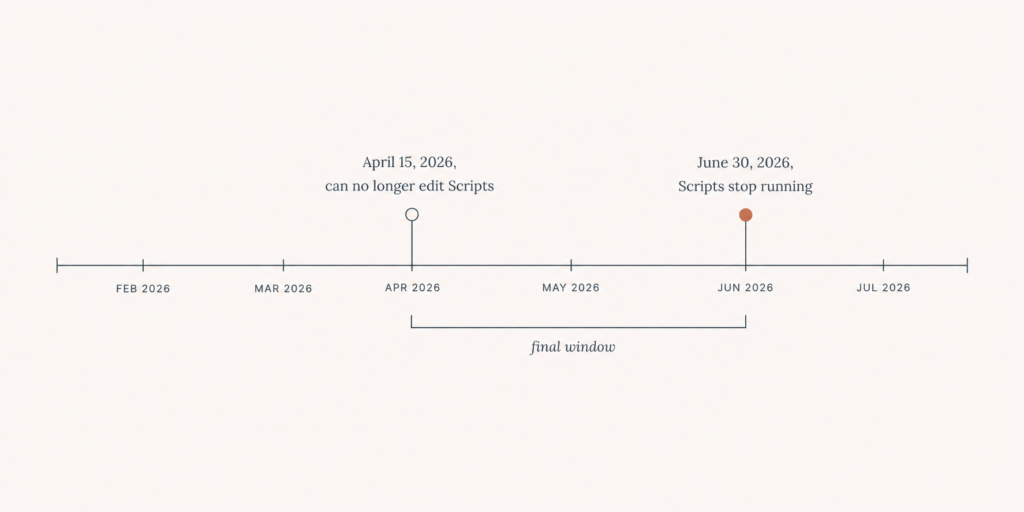
Most coverage only mentions one date. There are two, and the first one has already passed.
- April 15, 2026: you can no longer create, edit, or publish Shopify Scripts. If a Script is live, it keeps running, but you cannot touch it.
- June 30, 2026: every Shopify Script stops executing. Your discount, shipping, and payment logic simply goes quiet.
Because the April date has passed, you cannot patch your way out of this. You cannot tweak a Script to limp along. The only path forward is a rebuild on the new system, and the clock on that is now measured in days.
It is worth knowing the history, because it explains why people keep ignoring this. Shopify pushed the deadline twice, first from August 2024, then from August 2025. A lot of merchants assumed it would slip again. This time Shopify has been clear that it will not.
What actually breaks on June 30
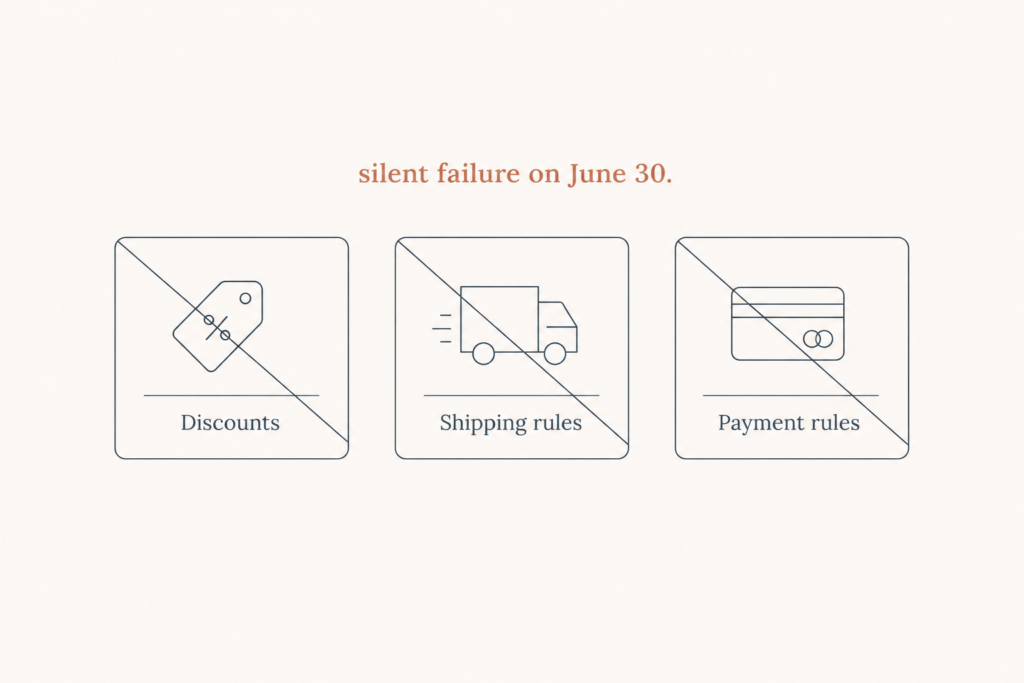
Scripts do three jobs at checkout. When they stop, each one fails in a quiet, expensive way. No banner, no warning email at checkout, no error your customer can see. Orders just start going through under the wrong rules.
1. Discount logic
This is the big one. Tiered pricing, bundle discounts, buy-more-save-more, automatic cart promotions, wholesale and B2B pricing rules. When the Script stops, those discounts stop applying. Customers either pay full price and complain, or they had a code that no longer works and they abandon the cart.
2. Shipping rate rules
Custom shipping logic based on cart contents, weight, destination, or customer tag. When it stops, shoppers see the wrong rates. Some get charged too much and leave. Others get free shipping you never meant to offer, and you eat the cost on every order until someone in finance notices.
3. Payment method rules
Hiding, showing, or reordering payment options based on cart or customer. When it stops, gated payment methods reappear, and the rules you set for fraud control or B2B terms are gone.
Why there is no easy button
People hear migration and picture a converter that reads the old code and writes the new code. That does not exist here. Shopify Functions use a different model, and the business logic has to be rewritten and tested by a developer. A Script is a snippet that runs at checkout. A Function is a small app component you build, deploy, and version. The rule in your head is the same. The code is not.
This is why the timing is so tight. A real migration is not a copy-paste job. It is an audit, a rebuild, and a round of testing against your actual cart scenarios so you do not ship a pricing bug to production.
What replaces Scripts
Shopify Functions are the modern replacement, and honestly they are better. They run faster, they are version-controlled, and they do not have the old 30-millisecond ceiling that made complex Scripts painful. Each Script maps to a Function type:
- Discount logic moves to a product or order discount Function.
- Shipping rules move to a delivery customization Function.
- Payment rules move to a payment customization Function.
The catch is that Functions live inside an app and are managed through checkout settings, not a text box in your admin. So part of the migration is the plumbing: a custom app to hold the Functions, deployment, and the checkout configuration that points to them.
The honest timeline problem
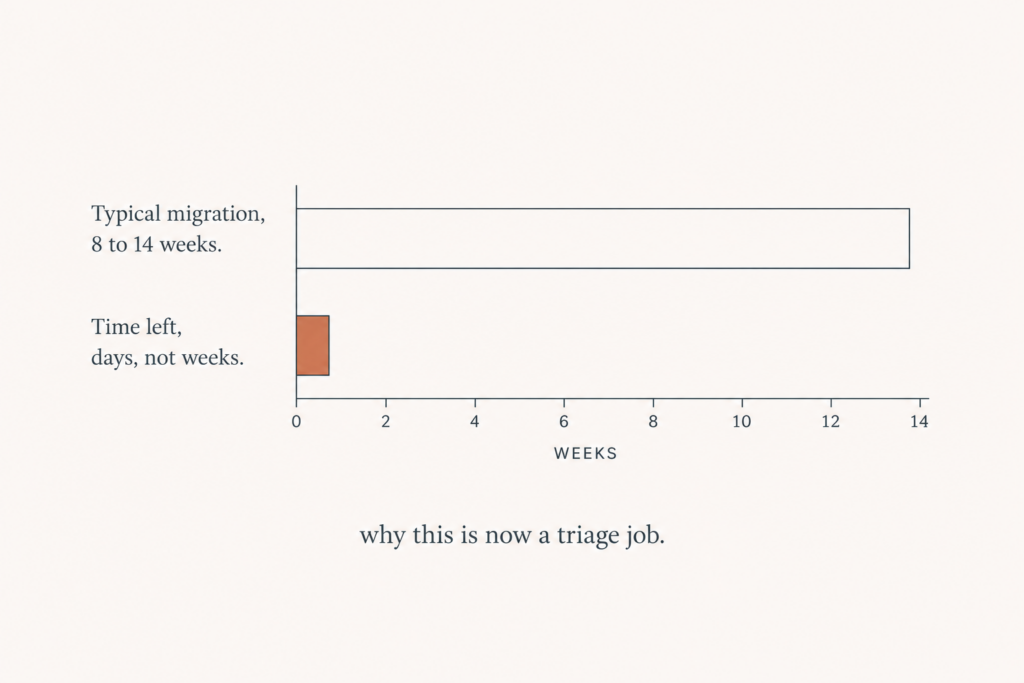
Here is the part most agency pages will not tell you. A normal, well-scoped Functions migration for a mid-complexity store takes 8 to 14 weeks. That covers the audit, the rebuild, testing on a development store, and a careful production cutover before a busy season.
We are days from June 30. That means a calm, full migration is no longer on the table if you are starting now. You are choosing between a fast, focused rebuild of your most important logic and a checkout that breaks on July 1. So the plan below is built for speed, not comfort.
The emergency triage plan
If you have little time, do not try to migrate everything at once. Rank your logic by money and rebuild in that order.
- List every active Script and write down the exact rule it enforces. You cannot edit them anymore, but you can still read them.
- Rank each one by revenue impact. A bundle discount that drives a third of your orders is not the same as a shipping rule that fires twice a month.
- Rebuild the top one or two as Functions first, and test them against real cart cases before anything else.
- For low-impact rules, decide whether you can live without them for a short window, or replace them with a native Shopify discount or shipping setting as a stopgap.
- Plan for a possible short gap on the long tail, and tell your team so nobody panics when a minor rule disappears.
This is not the ideal way to do it. The ideal way started three months ago. But it is the realistic way to protect most of your revenue with the days you have left.
How I run a fast migration
My process under deadline is deliberately narrow. I audit your active Scripts, confirm the business rule behind each, and rebuild the high-impact ones as Functions inside a custom app. Each Function gets tested against your real checkout scenarios, including the edge cases that usually cause wrong-price bugs. I deploy behind the scenes, verify in checkout, then cut over. The low-impact rules get a native stopgap or a short, planned gap so the critical money logic is solid first.
None of this is theoretical. The same discount, shipping, and payment patterns show up across stores, so the work is about doing it carefully and fast, not inventing anything new.
What it costs to wait
The real cost is not the migration. It is the silent failure. A store that loses its bundle discount on July 1 keeps taking orders at the wrong price for days before anyone connects the dropping margin to the dead Script. Multiply your average order value by a few days of wrong pricing and the number gets scary quickly. Acting now, even in triage mode, is far cheaper than cleaning that up later.
How Functions are better, not just different
It is easy to resent a forced migration, so it helps to know the new system is a real upgrade. Functions run server-side and faster, without the tight time limit that made complex Scripts stall. They are version-controlled, so you can see what changed and roll back if needed. And because they live in an app, the same logic can be reused and tested properly instead of sitting as a fragile snippet in your admin. Once you are through the migration, your checkout logic is in better shape than it was on Scripts.
What about checkout.liquid and Plus
If you are on Shopify Plus, Scripts are not the only thing changing. The old checkout.liquid customizations are moving to checkout extensibility on a similar timeline. If your store still depends on checkout.liquid, treat it as part of the same project. The smart move is to handle Scripts and checkout customizations together so you touch checkout once, not twice.
A few honest questions people ask
Will Shopify extend the deadline again?
It might, but plan as if it will not. The deadline already moved twice, and each extension trained merchants to wait. Shopify has signaled this one is firm. Betting your checkout on another delay is not a plan.
Can I do this myself?
If you wrote the original Scripts and you are comfortable building a Shopify app with Functions, yes. Most store owners are not, and the risk is a pricing bug that ships to production. If you do try it yourself, test every rule against real cart cases before you go live.
What if I miss June 30 entirely?
Your Scripts stop and your custom checkout logic is gone until you replace it. The store keeps taking orders, just under default rules. The fastest recovery is to rebuild your highest-impact rule first and accept a short gap on the rest, which is the same triage plan as above.
What to have ready before we talk
You can save days by gathering a few things up front:
- A list of your active Scripts and what each one does, in plain words.
- Your busiest discount and shipping rules, the ones tied to real revenue.
- Whether you are on Plus and still using checkout.liquid.
- Any upcoming sale or busy season, so we sequence the work around it.
I broke down the full timeline and the technical detail in my longer migration guide. If you still have live Scripts, do not wait for the deadline to make the decision for you. Tell me what your Scripts do and book a migration call, and we will protect the logic that matters most first.

Comments are reviewed before they appear, so yours will not show up straight away. Your email is never published.