
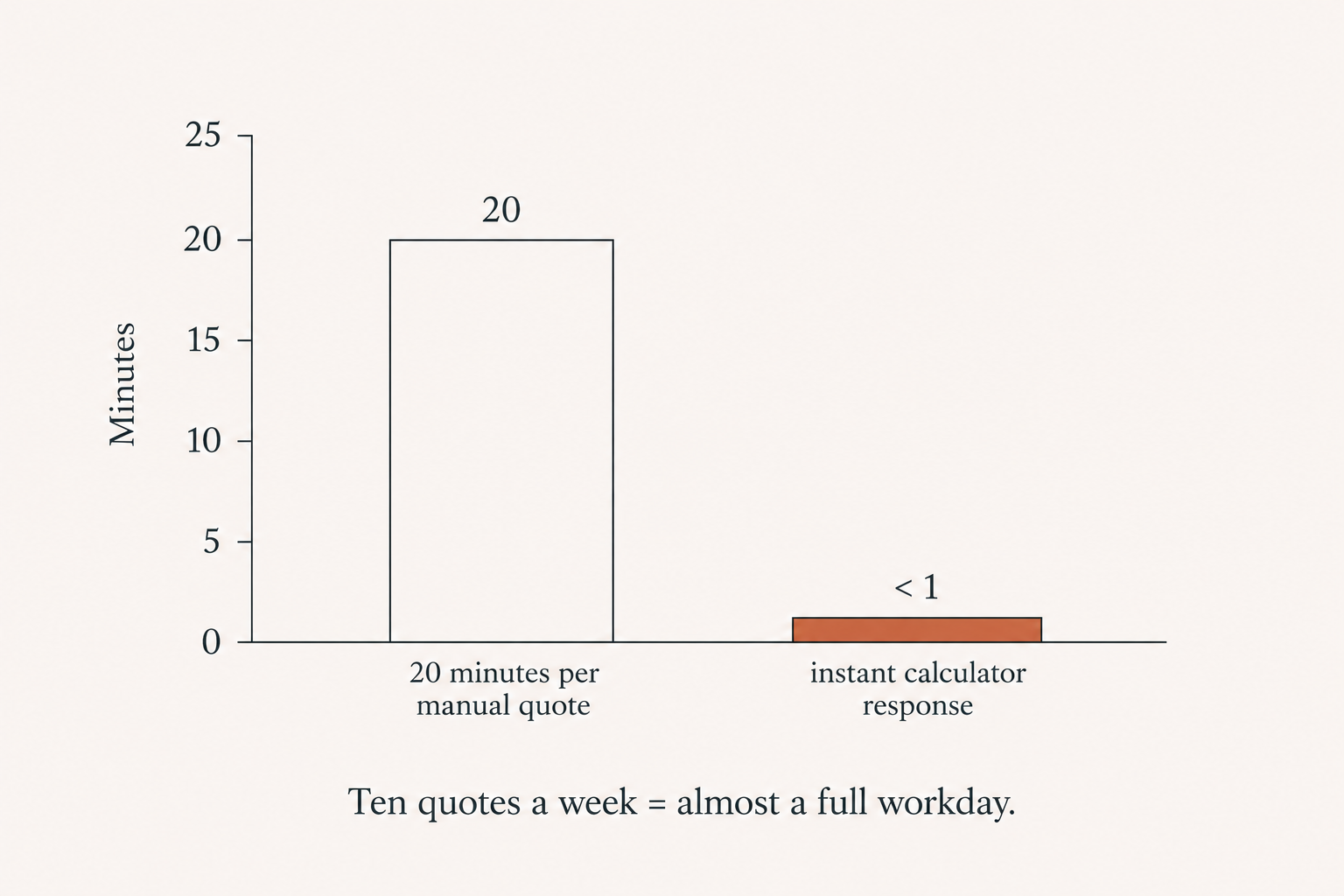
They spend hours every week writing quotes by hand. One prospect, one email, twenty minutes gone. Do that ten times a week and you’ve burned almost a full workday just telling people what stuff costs.
What if your website did that for you? Instantly. For free. While you slept?
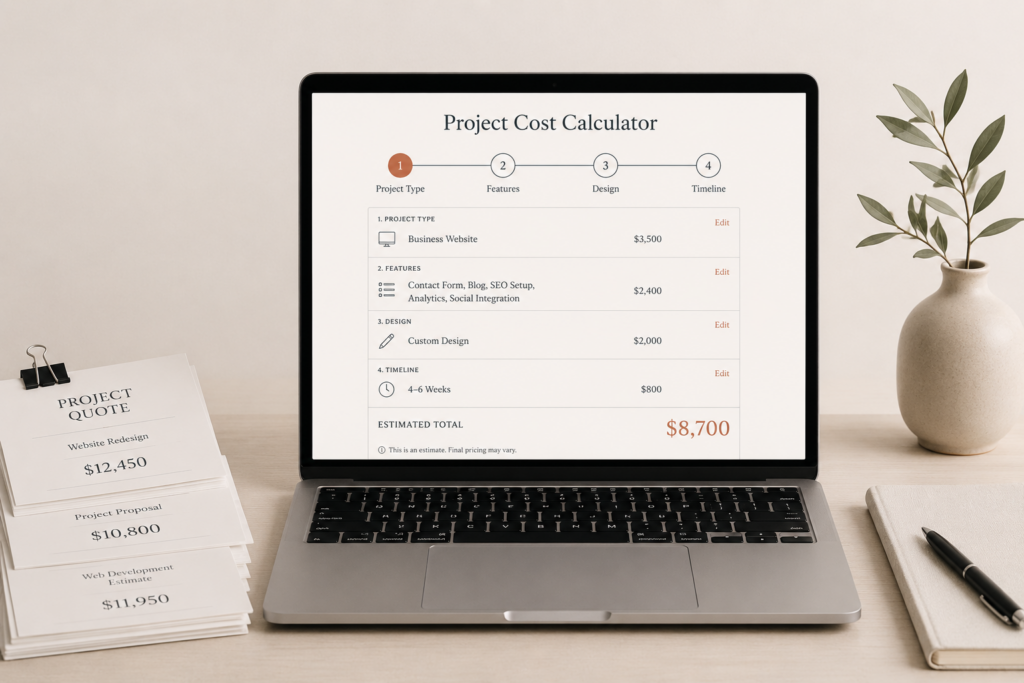
That’s what a cost estimation calculator does. And if your price depends on more than two things, it’ll pay for itself faster than anything else you bolt onto your site.
This is a real buyer’s guide. What to look for, what to skip, and what you should actually pay in 2026.
What a Cost Estimation Calculator Actually Does
It’s a multi-step form. A prospect lands on your site, answers a few questions, and gets a real price back in seconds.
The questions match whatever drives your pricing. Square footage. Number of users. Package choice. Dates. Distance. Materials. You name it.
The good ones do four jobs:
- They feel like a conversation, not a tax form. One question at a time, easy to answer.
- They run your real pricing rules. That means conditional logic, discounts, the works.
- They capture the lead with the quote attached. So you know exactly what that person wanted.
- They push everything into your CRM, your inbox, and your analytics in one move.
So instead of you chasing the quote, the quote chases the lead for you.
Who Actually Needs One
Not everyone. But four types of business see money come back fast:
- Contractors and home services. Roofing, HVAC, solar, fencing, landscaping.
- B2B manufacturers drowning in RFQs.
- Agencies and consultancies with tiered packages.
- Rental businesses that price by date or duration.
Here’s a simple test. Does your sales team spend more than 20 minutes building a typical quote? If yes, the calculator pays for itself inside three months. That’s not a maybe. That’s the math.
Plugin vs. Custom: The Honest Version
Let me be straight with you, because most guides won’t.
Off-the-shelf plugins like Calculoid, Cost Calculator Builder, Stackable, and Convertful work great for simple stuff. You can have one running by this afternoon. That’s the upside.
But the headaches show up later:
- A generic widget that never quite looks like your brand.
- No easy way for your team to update prices without calling a developer.
- Weak CRM links (usually just Zapier or email).
- A hidden ceiling on how complex your logic can get.
Custom is the opposite trade. You spend a few days building it upfront. Then you get five years with zero compromises.
It matches your brand. Your team edits the rules themselves. It plugs deep into your CRM. It fires conversion events into GA4, Meta, and LinkedIn out of the box. And there’s no monthly fee per lead nibbling at your margin.
So which one’s right? Depends on how much your pricing matters to your business. If quotes are how you make money, don’t cheap out on the thing that makes them.
What It Should Cost in 2026
Here’s the part everyone wants. Real numbers:
- $349 gets you a 3-step lite calculator with email reporting and captcha. Delivered in 5 business days.
- $799 gets you a 7-step pro calculator with Stripe deposit, a CRM webhook, an admin dashboard, and full conversion tracking. Delivered in 10 days.
- $1,500 and up gets you the multi-language, multi-currency, AI-follow-up tier. Delivered in 3 to 4 weeks.
And one warning. If someone offers to build a custom calculator for under $1,500, ask hard questions. Done right, it rarely costs less than that.
The Questions to Ask Before You Buy
Don’t sign anything until you’ve asked these:
- Will it be pixel-matched to my site, or will it look like a bolted-on widget?
- Can my team update prices, packages, and rules without touching code?
- What conversion events will it send to GA4, Meta, and LinkedIn?
- How does the lead reach my CRM? Direct integration or Zapier in the middle?
- Can it take a Stripe deposit on the last step?
- What’s the support story after launch? 14 days? A month? Ongoing?
If a vendor dodges these, that’s your answer.
Your Next Step
Stop writing quotes by hand. Every one you type is time you don’t get back.
If you’re scoping a calculator right now, see the packages or book a 20-minute scope call and let’s figure out which tier fits your business.
Prefer it built for you? See the custom calculators I build.
Weighing a builder against custom? See how a custom quote calculator compares to Calconic and ConvertCalculator.
For a buyer who already knows what they need, the packaged builds and what each one includes are on calculator pricing.

1 comment
[…] integration for paid estimates. For practitioners looking specifically at WordPress options, check Cost Estimation Calculators for WordPress (2026) for a buyer-focused breakdown. Shopify is ideal for ecommerce-based calculators embedded at the […]
Comments are reviewed before they appear, so yours will not show up straight away. Your email is never published.