
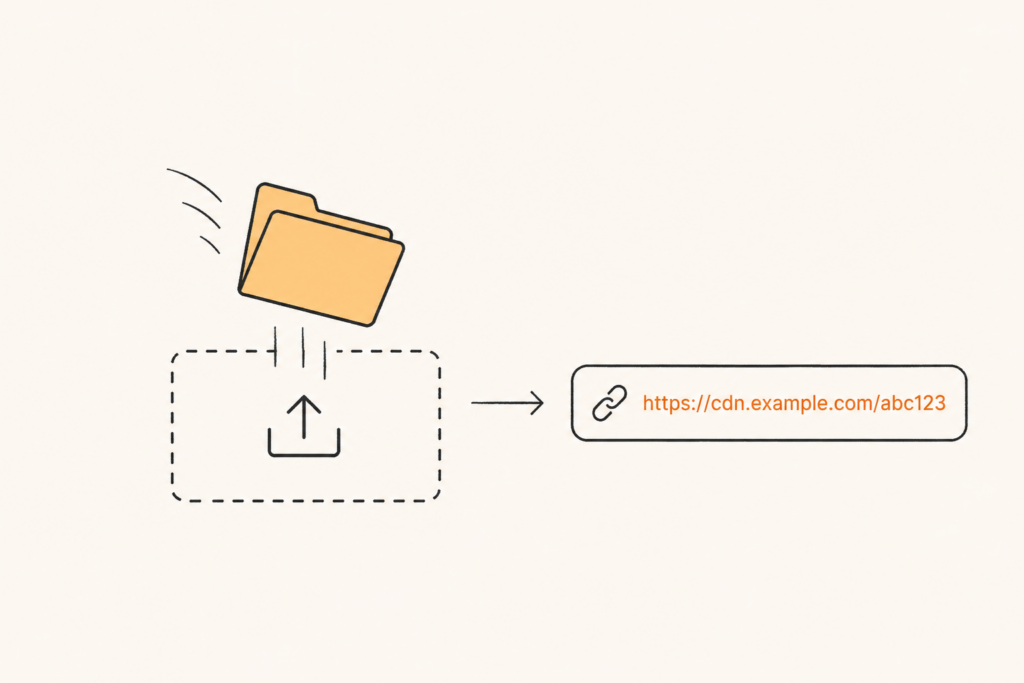
You can now put a live website on the internet using Cloudflare’s network without typing a single character into a login form.
No email. No password. No account creation screen. You drag a folder onto a page, and thirty seconds later you have a working URL.
That is Cloudflare Drop, launched on July 8, 2026. If you build sites for clients, ship AI-generated landing pages, or just hate the friction between “I have files” and “the world can see them,” this one is worth ten minutes of your attention.
What Cloudflare Drop actually does
Cloudflare Drop lets you deploy a static site by dragging a folder or a ZIP file into your browser. Cloudflare accepts static HTML, CSS, JavaScript, images, and fonts, and hands you back a working preview URL right away.
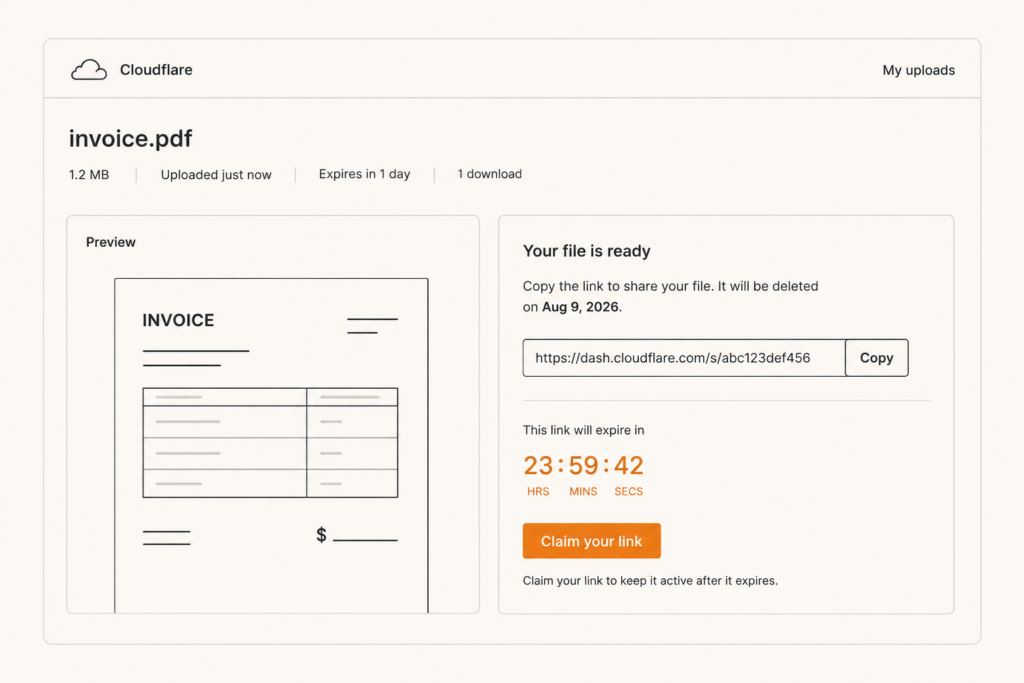
That preview stays live for one hour. During that window you can test the site, send the link to a client for feedback, or click Claim to make it permanent.
Claiming means signing in or creating a Cloudflare account. You can attach the site to an existing account or spin up a brand new one on the spot, though new accounts need email verification before the deployment sticks around.
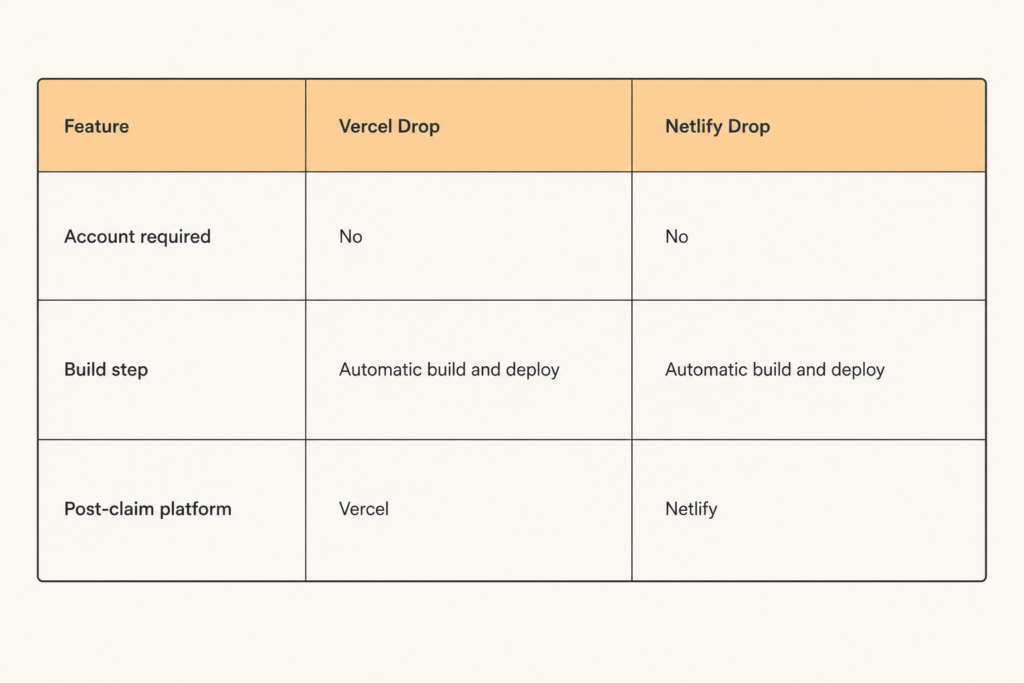
This matters because two of the biggest names in static hosting, Netlify and Vercel, both require an account before anything goes live. Cloudflare flipped that order. The site exists first. The account is optional, and only needed if you want to keep what you made.
How it works, step by step
Here is the actual flow, based on Cloudflare’s own changelog entry:
- Go to the Drop page and drag in a folder or ZIP of static assets.
- Cloudflare deploys it instantly and gives you a temporary preview URL.
- You get a one-hour countdown. Share the link, test it, show it to someone.
- Click Claim before the timer runs out, or the deployment is gone for good.
- Sign in or create an account to finish claiming the site.
Once claimed, four setup options appear in your dashboard: connect a custom domain, turn on observability to monitor performance and usage, enable a feature called Markdown for Agents, and set access controls to make the site private.
The Markdown for Agents detail nobody expects from a hosting feature
This is the part worth slowing down on. Markdown for Agents renders your site’s content as Markdown specifically for AI crawlers and assistants to read. Cloudflare is treating “does an AI agent understand my page” as a first-class setup step, sitting right next to domain and access control.
That is a signal about where the web is heading. Search engines used to be the only audience you optimized a page for. Now AI agents are crawling and summarizing sites too, and Cloudflare is betting that making a site legible to them belongs in the default checklist, not as an afterthought plugin.
If you run client sites for jewelry or retail brands, this is a feature to watch. AI shopping assistants and answer engines are already surfacing product pages directly in conversations, and a site that’s easy for an agent to parse has a real edge in that channel.
Cloudflare Drop vs Netlify Drop vs Vercel Drop
You have options here, and they are not the same tool wearing different logos.
Netlify Drop also lets you deploy anonymously and claim the site later, and unclaimed sites disappear within an hour, similar to Cloudflare’s approach. But Netlify Drop has no build step. You have to build your project locally and drop only the finished static output. It is best for teams who want to keep re-publishing an already-built site by dragging in a new folder each time.
Vercel Drop takes the opposite approach. It accepts framework projects like Next.js directly, detects the framework, and builds it for you on the platform. That makes it the better pick for exports from AI coding tools. The tradeoff is that Vercel Drop requires an account from the start, since you have to choose a team and project name as part of the deploy.
Cloudflare Drop sits closest to Netlify’s model: no build pipeline, static assets only, anonymous first. What it adds is Cloudflare’s edge network reach and the post-claim path straight into the full Workers platform, with DNS, HTTPS, and DDoS protection included once you claim.
Who this is actually good for
If you build one-off landing pages, client mockups, or quick prototypes, Cloudflare Drop removes the last excuse to skip a live preview. You no longer need to spin up hosting just to show someone a folder of files.
If what you’re shipping is a real product site that needs a custom domain, access rules, and long-term uptime, treat the anonymous hour as a test drive. Claim it fast, then move straight into the domain and access setup Cloudflare gives you.
One caution: Cloudflare’s own changelog is still thin on limits. File size caps, how many sites you can drop, and free-tier boundaries are not documented yet as of this writing. Test with something disposable before you rely on Drop for anything client-facing.
The bottom line
Cloudflare just removed the login wall from static hosting, at least for the first hour. That is a small technical change with a bigger implication: the gap between “I have a file” and “the internet can see it” keeps shrinking, and the companies racing to close it are betting that speed, not features, wins the next round of developer tools.
If you have a static folder sitting on your machine right now, it takes less time to try Cloudflare Drop than it did to read this article.
Cloudflare Drop is one of a run of tools quietly collapsing the gap between a folder on your machine and a live URL. I track the rest of them in developer tools.

Comments are reviewed before they appear, so yours will not show up straight away. Your email is never published.