
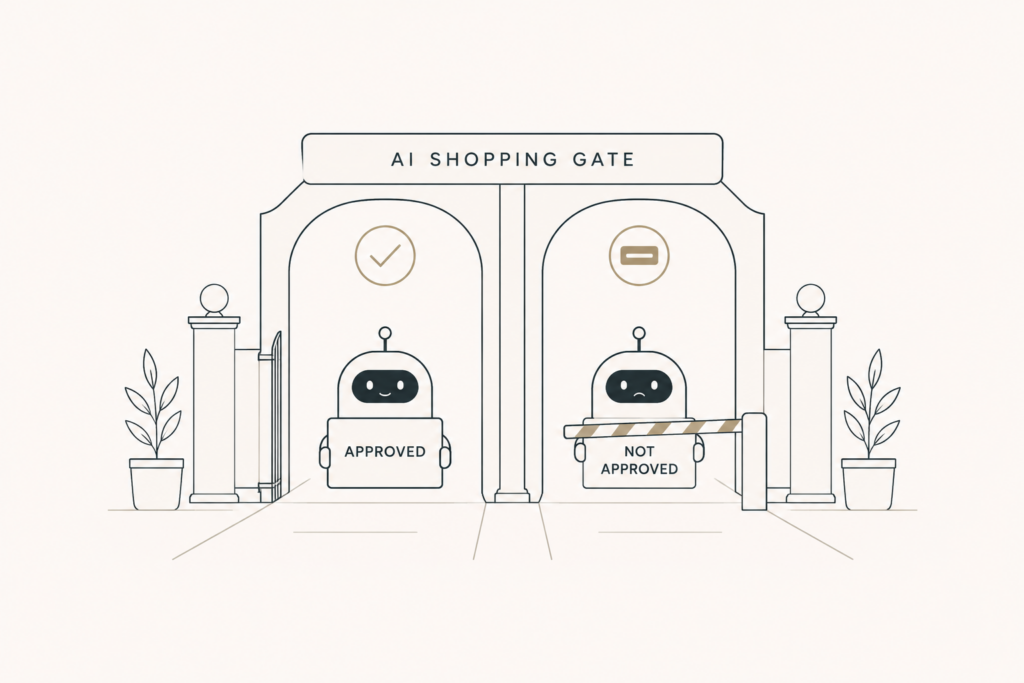
There is a single line in your robots file that can make your store invisible in ChatGPT. Most merchants do not know it is there, and a lot of them are blocking themselves by accident.
The fix takes five minutes. But you have to understand the difference between two bots that look almost the same and do completely different jobs.
Let me explain it plainly, then show you exactly what to put in your file.
The two bots, and why they are not the same
OpenAI runs more than one crawler, and they serve different purposes.
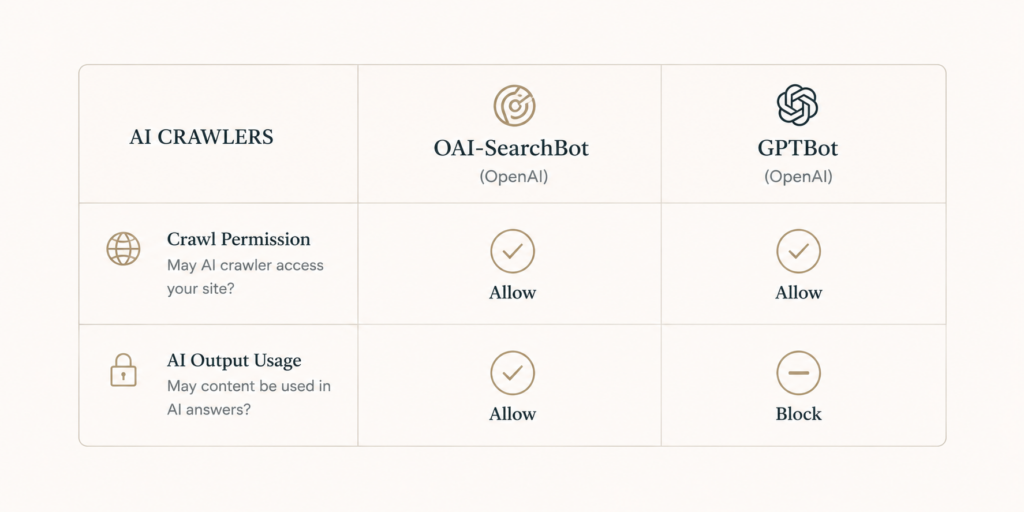
GPTBot collects content to help train OpenAI’s models. When this bot reads your pages, your content can feed future model training. Many brands block it because they do not want their work used that way.
OAI-SearchBot is the one that powers live search and shopping referrals. When this bot reads your pages, you become eligible to appear in ChatGPT’s recommendations and shopping results.
Here is the trap. People hear “block the OpenAI bot” and block everything. That kills GPTBot training access, which is fine, but it also kills OAI-SearchBot, which means complete invisibility in ChatGPT shopping. You disappear from results no matter how good your products or content are.
What you probably want
For most stores selling real products, the goal is simple.
You want to show up in ChatGPT shopping, because that is free, high-intent traffic. So you want OAI-SearchBot allowed.
Whether you allow GPTBot is a separate choice. If you are comfortable with your content helping train models, allow it. If you would rather not, block it. Either way, that decision has nothing to do with your shopping visibility.
The key insight: you can block GPTBot and still allow OAI-SearchBot. Training access and search visibility are two separate switches, and you control them independently.
How to check what you are doing right now
Before changing anything, see your current state.
Open your store’s robots file. On most platforms you can view it by adding /robots.txt to your domain. Look for any rule that blocks OpenAI crawlers by name. If you see OAI-SearchBot being disallowed, you are blocking your own shopping visibility.
If you are on a managed platform, also check your admin settings, since some platforms control crawler access through a setting rather than a raw file.
The setup, in plain terms
The logic you want is: allow the search bot, then decide on the training bot.
To stay visible in ChatGPT shopping, make sure OAI-SearchBot is not disallowed. To keep your content out of training while staying visible, disallow GPTBot but leave OAI-SearchBot allowed.
If you use Shopify or another hosted platform, you may not edit the raw file directly. In that case, look for the crawler or AI access controls in your admin and set them to allow search referral access. When in doubt, your platform’s current documentation will name the exact bots and the exact setting, and those names do change, so confirm before you commit.
After you make a change, give it time. Crawlers re-read your file on their own schedule, so visibility shifts over days, not minutes.
A quick word on the bigger picture
This same idea applies beyond ChatGPT. Other AI shopping surfaces use their own crawlers, and the same principle holds: if you block the crawler that powers a platform’s recommendations, you cannot appear there.
So treat your robots rules as a visibility setting, not just a technical afterthought. One careless blanket block can quietly cut you out of an entire sales channel.
The takeaway
GPTBot is about training. OAI-SearchBot is about showing up in ChatGPT shopping. They are separate, and you can allow one while blocking the other.
Check your robots file today. If you are blocking the search bot, you are blocking free, high-intent sales. Allow it, decide on training separately, and you are back in the results.
This is one piece of a bigger picture. See the 2026 guide to getting recommended by AI.

Comments are reviewed before they appear, so yours will not show up straight away. Your email is never published.