
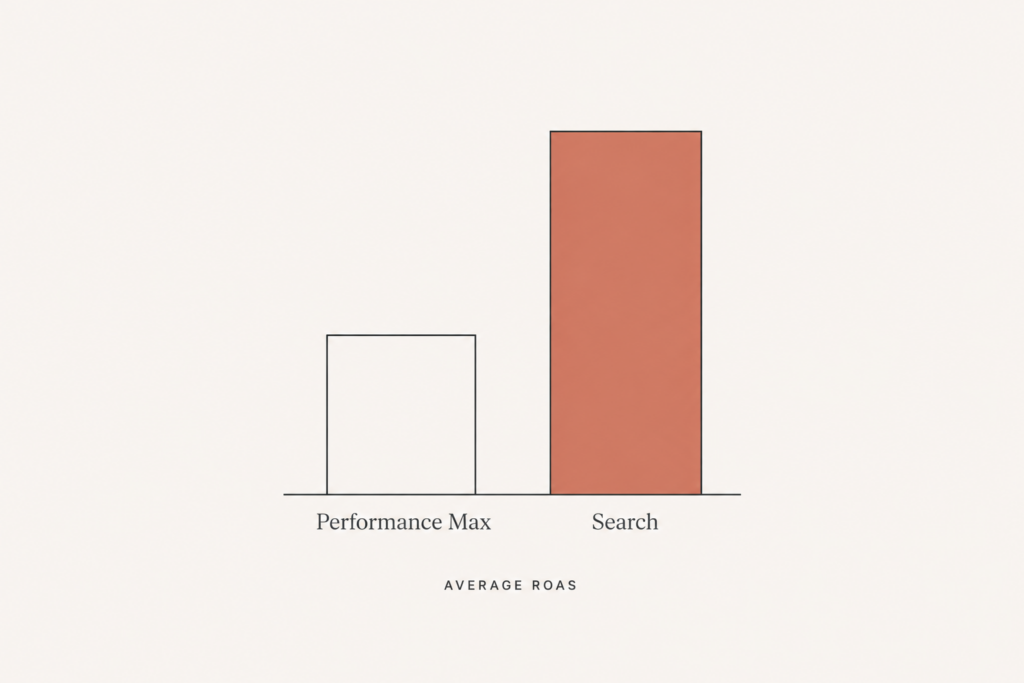
You turned on Performance Max, Google promised the algorithm would handle everything, and now you have a ROAS number you cannot explain and a budget that disappears faster than it returns. I see this every month. The store owner is not doing anything obviously wrong. They followed Google’s own setup wizard. That is exactly the problem.
Here is the uncomfortable truth about Google Ads for Shopify in 2026. Performance Max averages around a 2.57 to 1 ROAS, while a well-run Search campaign averages closer to 5.17 to 1. PMax is not bad, but it is a different tool for a different job, and when you let it run unsupervised it spends your money where it is easiest, not where it is most profitable.
Let me show you the structure I use to fix that, the feed work that decides whether any of it succeeds, and the tracking setup that quietly determines if Google can even see your results.
Why your ROAS depends on your budget more than your skill
Before you blame the setup, look at the spend. The data is blunt here. Stores spending over $50,000 a month on Google Ads average a 5.2x ROAS. Stores spending under $2,000 a month average only 2.8x. Same platform, very different outcomes.
Why? Smart Bidding needs conversion volume to learn. On a small budget, the algorithm is making decisions on thin data, so it guesses, and guessing is expensive. This does not mean small stores cannot win. It means small stores have to be far more disciplined about structure and feed quality, because they cannot buy their way out of a learning problem.
The takeaway: if you are under $2,000 a month, structure and feed quality are not optional polish. They are the whole game.
Build a hybrid structure, not one big PMax campaign
The single biggest 2026 shift is that the hybrid approach has become the standard. You do not pick PMax or Search. You run both, each doing what it is best at.
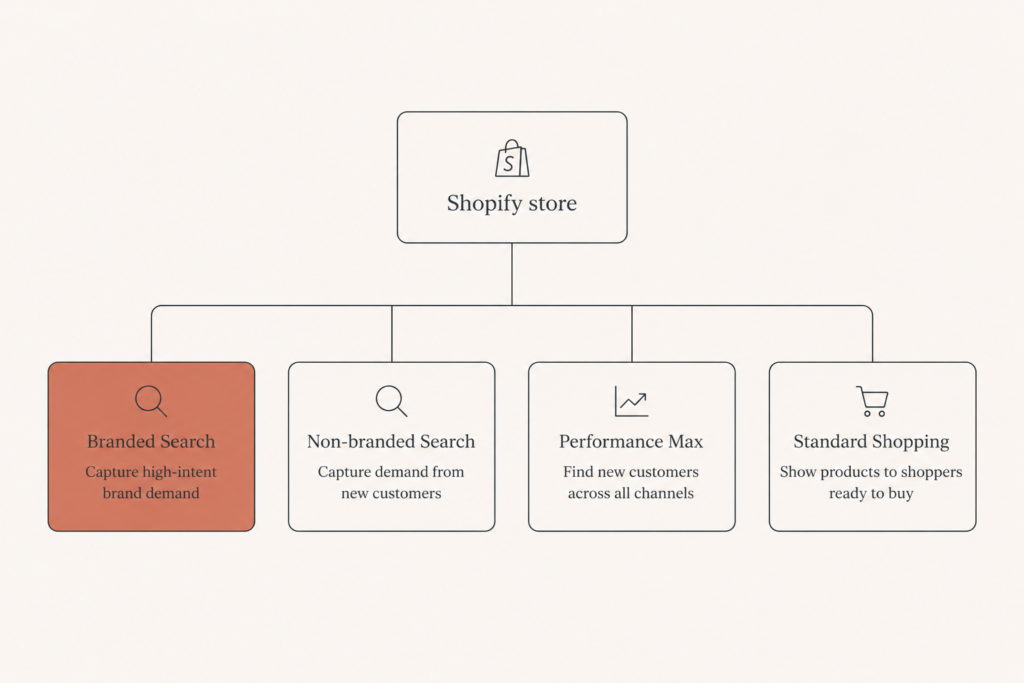
Here is the structure I deploy on a typical Shopify store:
- A branded Search campaign on exact match, targeting your own brand terms, launched first with a priority bid.
- A non-branded Search campaign on your highest-intent product and category keywords.
- A Performance Max campaign for broad prospecting and remarketing across Google’s full inventory.
- Standard Shopping running alongside PMax to keep control and visibility on your core product feed.
The branded Search campaign matters more than people expect. Without it, PMax will happily claim credit for branded searches that would have converted anyway, inflating its ROAS while contributing nothing new. Launch the exact-match branded campaign before any broad or PMax campaign, set a priority bid that outcompetes the automated campaigns for branded queries, and you stop paying a premium for traffic you already owned.
Your product feed is 74% of the work
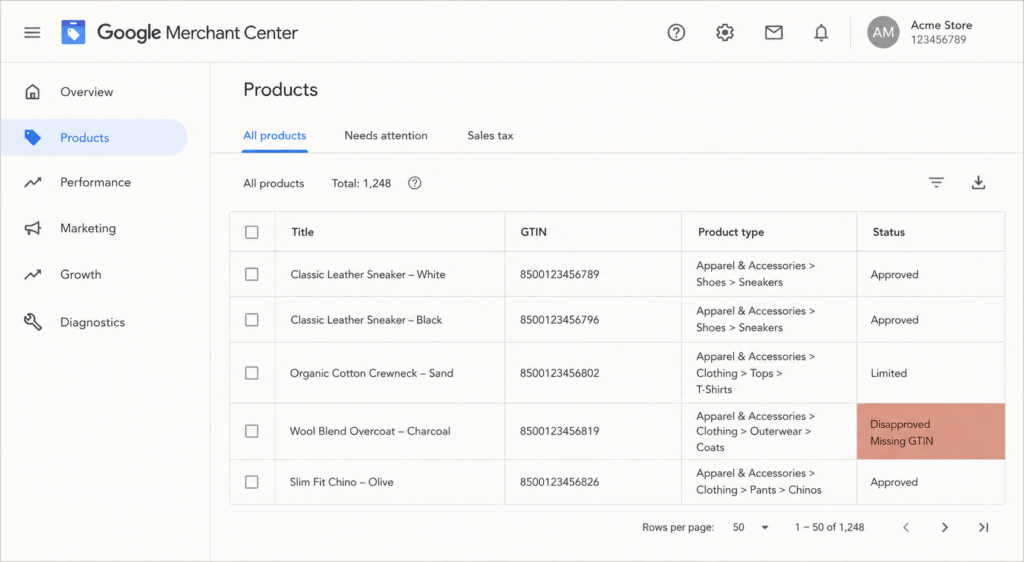
If you take one technical lesson from this post, take this one. Feed-based ads account for somewhere between 74% and 97% of Performance Max spend. That means the quality of your product feed in Google Merchant Center is the biggest lever you have, bigger than bids, bigger than budget, bigger than creative.
Here is where I focus feed work first:
- GTINs on every physical product that has a manufacturer barcode. Google uses GTINs to match your products to its knowledge graph, and missing them quietly limits your reach.
- Titles that front-load the words people actually search, brand, product type, key attribute, in that order.
- Accurate product types and Google product categories, because miscategorized products get shown to the wrong searches.
- Clean, high-resolution images and correct pricing and availability synced from Shopify in real time.
For high-AOV catalogs like the jewelry stores I work on, feed discipline is even more important, because a single mismatched attribute on a $1,500 product wastes far more budget than it would on a $30 one.
Fix your tracking before you touch your bids
This is the part almost everyone skips, and it is the highest-leverage technical fix available in 2026. Without Enhanced Conversions and Consent Mode v2 properly configured, you are losing 15% to 30% of your conversion signal to iOS privacy changes and GDPR cookie banners.
Think about what that does to the algorithm. Smart Bidding sees your campaigns as worse than they actually are. Your Target ROAS becomes nearly impossible to hit because Google is optimizing against incomplete data. You end up lowering targets, spending more, and blaming the platform, when the real issue is that Google cannot see a third of your sales.
Set up Enhanced Conversions, implement Consent Mode v2, and verify the data is flowing before you optimize anything else. On a Shopify store this is mostly configuration plus a bit of theme and tag work, and it pays for itself faster than any bid change.
Exclude the people you already paid for
Here is a fast win that often lifts ROAS 10% to 20% within two weeks. Connect your Shopify customer list to Google Ads through Customer Match, then exclude past purchasers from your acquisition PMax campaign.
By default, PMax will happily re-serve ads to people who already bought, then count the repeat purchase as a fresh acquisition win. By excluding existing customers from prospecting, you force the budget toward genuinely new buyers and get a cleaner read on what acquisition actually costs. Run retention and winback to those existing customers through email and a separate remarketing layer instead.
Set Target ROAS like a human, not a wish
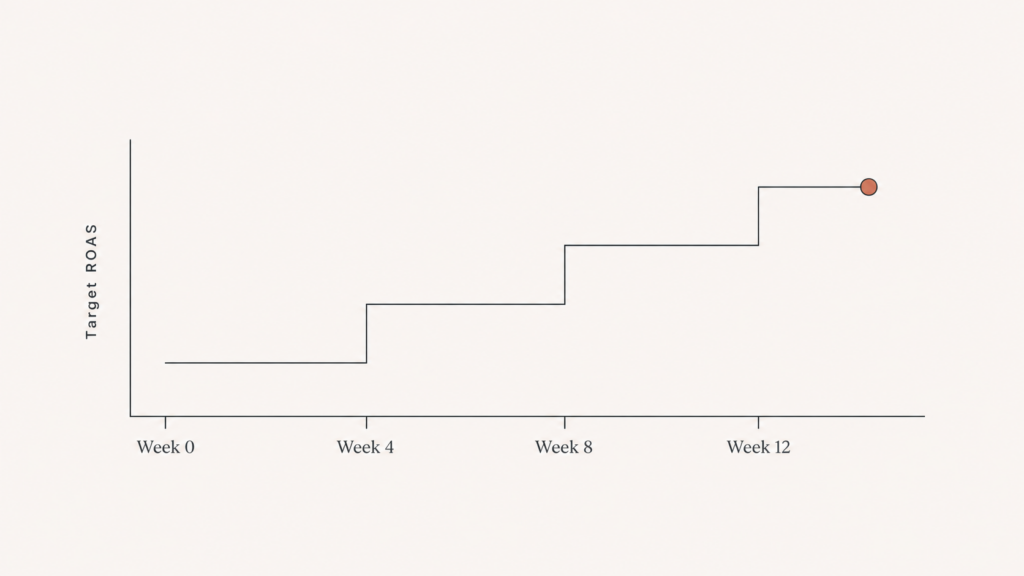
A lot of wasted spend traces back to one mistake: setting an aggressive Target ROAS on day one. If your current actual ROAS is 3x and you set a target of 6x, the algorithm throttles delivery, starves itself of data, and stalls.
Do this instead. Set your initial Target ROAS within 20% of your current actual ROAS. Let it stabilize. Then raise the target in 10% to 15% increments every four weeks as performance holds. This gives Smart Bidding room to learn while you steadily tighten profitability. It is slower than flipping a switch, but it is the difference between compounding gains and a campaign that never exits the learning phase.
A simple order of operations
If you are starting or rebuilding Google Ads for Shopify, do it in this sequence so each step supports the next:
- Fix conversion tracking (Enhanced Conversions, Consent Mode v2) and confirm data is flowing.
- Clean the product feed in Merchant Center, GTINs and titles first.
- Launch the branded exact-match Search campaign.
- Add non-branded Search on high-intent keywords.
- Turn on Performance Max plus Standard Shopping, with past purchasers excluded.
- Set Target ROAS within 20% of actual, then tighten monthly.
Get those six in order and you stop funding Google’s easiest clicks and start funding your most profitable ones.
Where this usually goes wrong
The pattern I see most is a store that turned on PMax, fed it a half-finished product feed, never set up Enhanced Conversions, and then judged the whole channel on a ROAS number Google could not measure accurately. The channel was never the problem. The plumbing was.
If your Shopify Google Ads account feels like a slot machine, it is almost always one of these fixes that turns it around. I am happy to take a look and tell you which one is costing you the most. Book a free audit at javaid.dev/contact and I will walk you through exactly where the budget is leaking.

Comments are reviewed before they appear, so yours will not show up straight away. Your email is never published.